> For the complete documentation index, see [llms.txt](https://elessi-docs.nasatheme.com/llms.txt). Markdown versions of documentation pages are available by appending `.md` to page URLs; this page is available as [Markdown](https://elessi-docs.nasatheme.com/single-product/product-type/promo-scroller.md).
# Promo Scroller
This guide will help you install the "Promo Scroller" function.
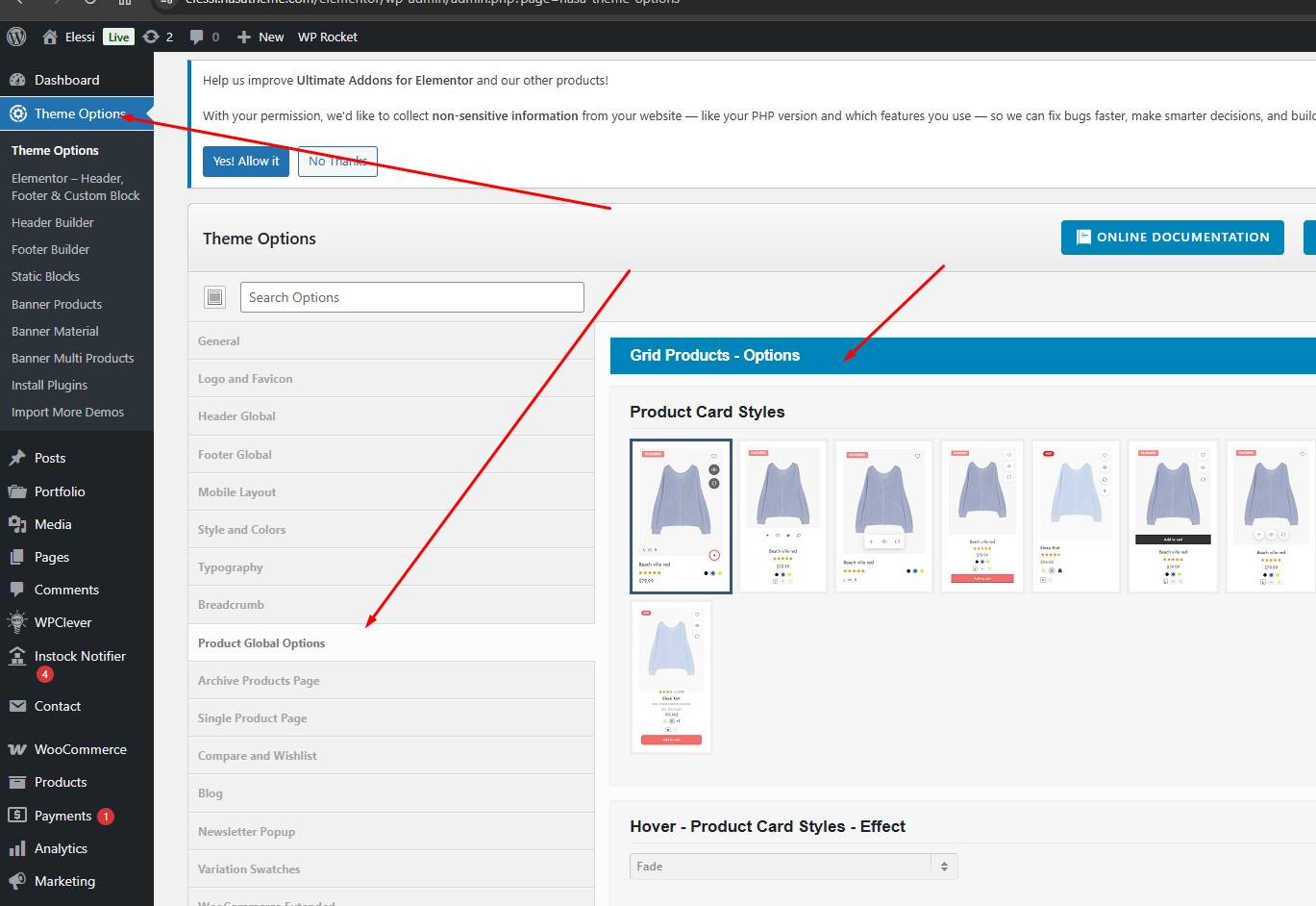
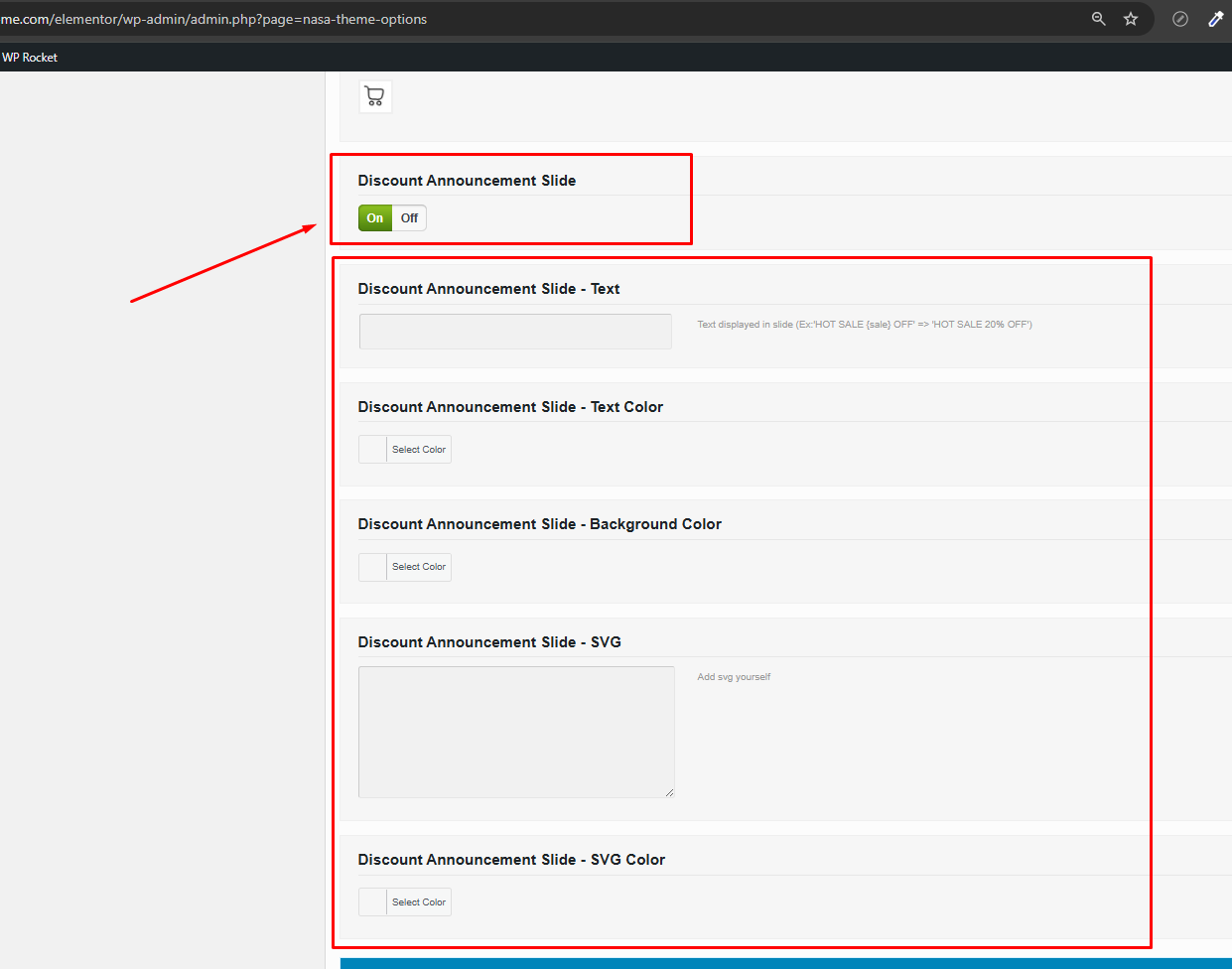
Go to theme options > Product Global Options > Grid Products - Options > enable Discount Announcement Slide feature
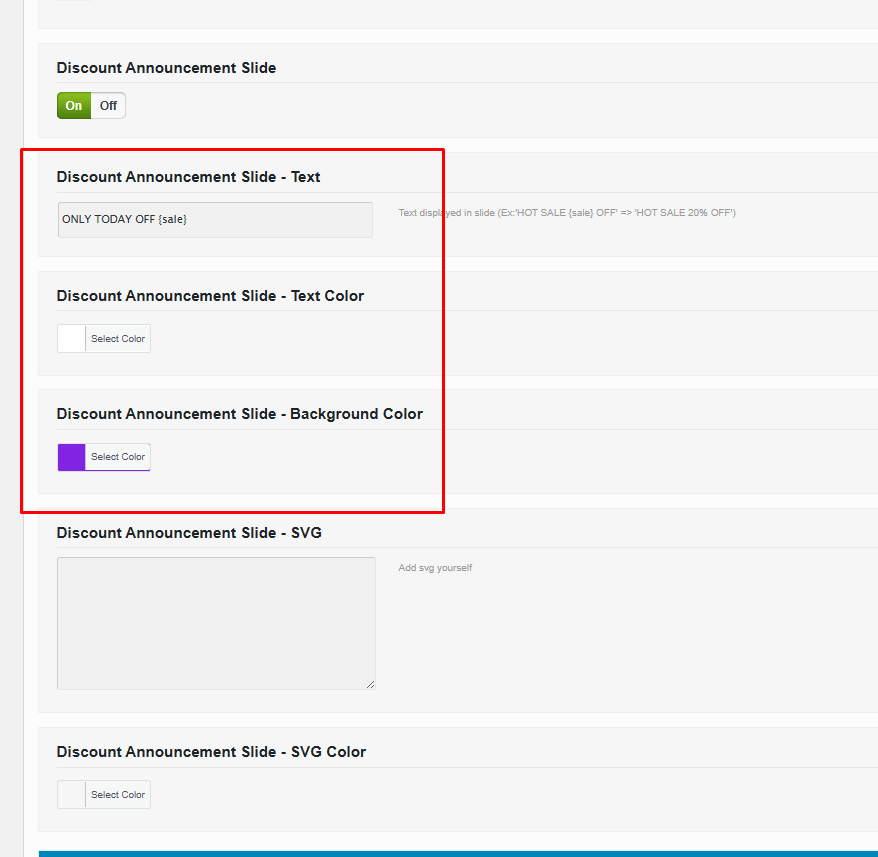
After enabling the feature, you can customize it using the options below.
For example:
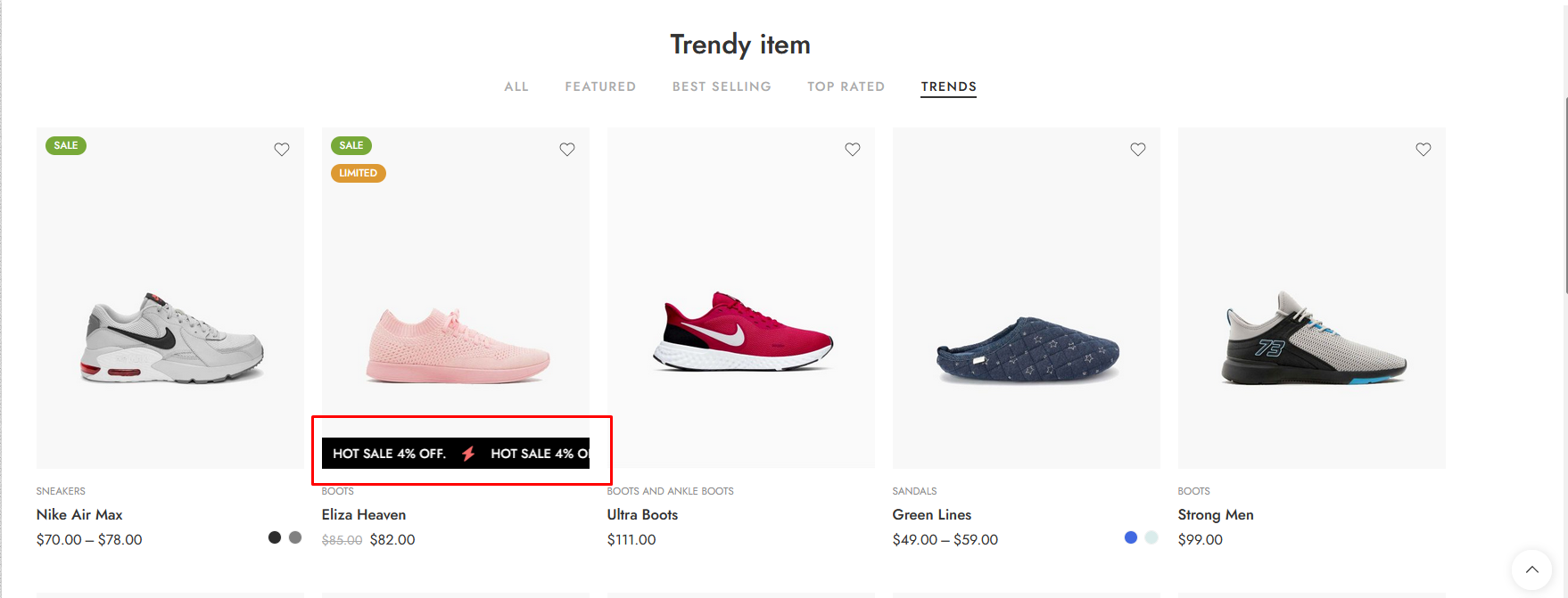
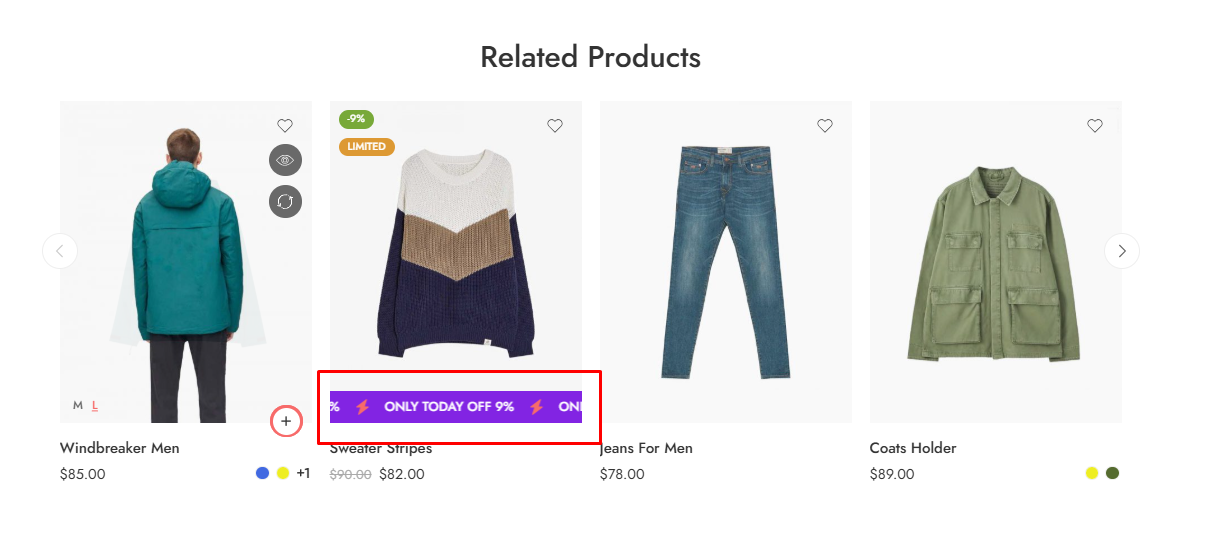
And the result is
Note that when changing text, the multilingual function may not work. If your site is multilingual, we recommend that you refer to the following to change the text: [https://elessi-docs.nasatheme.com/translation/translate-plugin](/translation/translate-theme.md)