> For the complete documentation index, see [llms.txt](https://elessi-docs.nasatheme.com/llms.txt). Markdown versions of documentation pages are available by appending `.md` to page URLs; this page is available as [Markdown](https://elessi-docs.nasatheme.com/single-product/tabs-layout/pin-product-describe/banner-products.md).

# Banner Products

![](/files/jKViLvuIJ90xURX0gQlS)

<mark style="color:blue;">**Step 1**</mark> - Simply go to **Theme Options > Banner Product** > Add New to create content for <mark style="color:blue;">**Banner Product**</mark>

![](/files/y7eCP8VVzJWQMXA7Abus)

<mark style="color:blue;">**Step 2**</mark> - Please add more your product here:

![](/files/F0IvQP5fvpOTfo9JK5Vc)

![](/files/-MYilWakiLGs54tF6XrB)

![Please remember your Shortcode of your Pin product banner that you just created](/files/-MZzk2Idf1SPaEPhngPj)

<mark style="color:blue;">**Step 3**</mark> - Please add your shortcode to the products described here:

![](/files/7nGcM5i2e6FLxJWKSLxp)

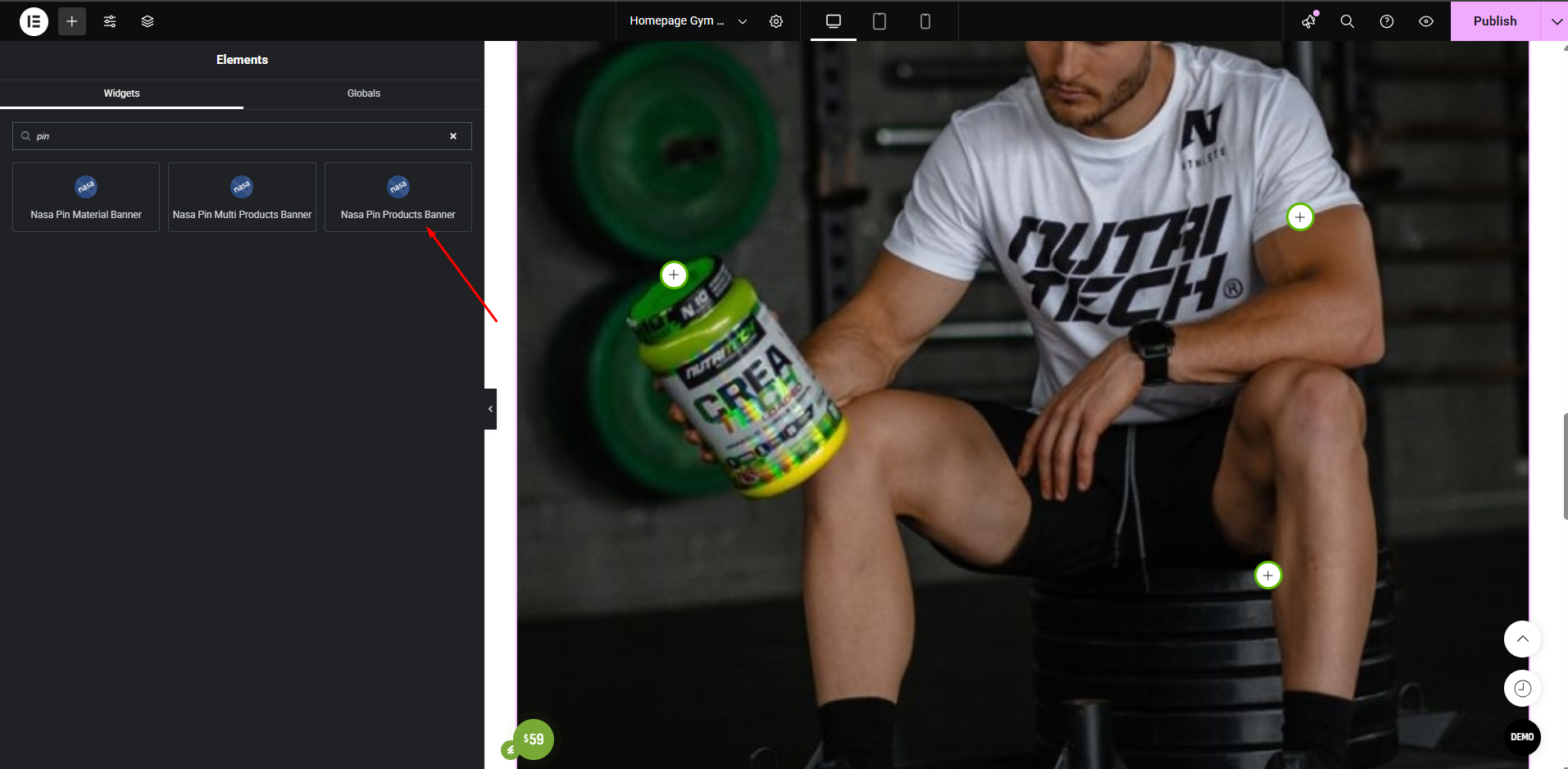
<mark style="color:blue;">**Step 3.1**</mark> - if you are using elementor then select item "Edit Nasa Pin Products Banner"

<figure><img src="/files/CQ4A7Lq9iOQHyfaAslE1" alt=""><figcaption></figcaption></figure>

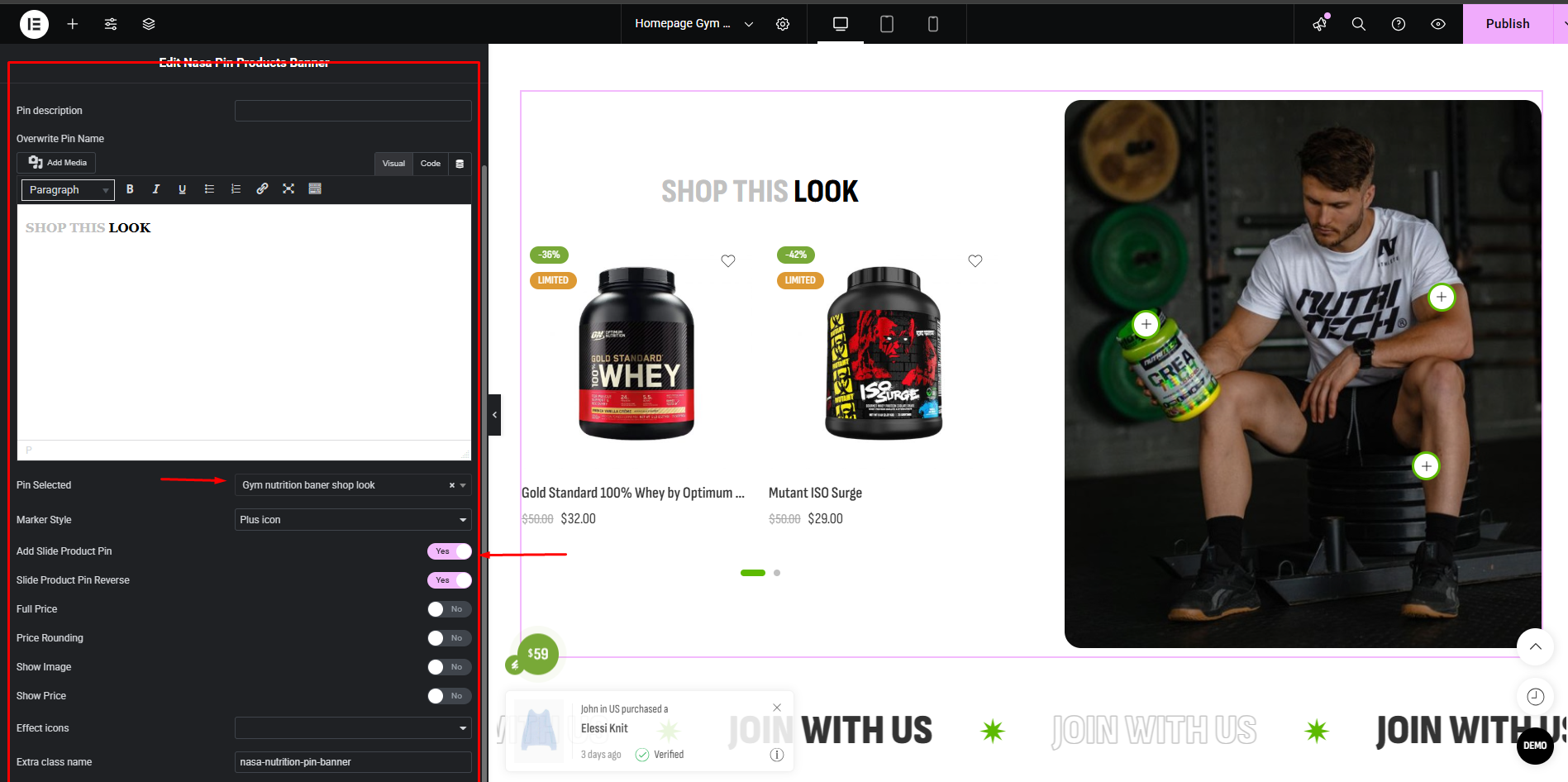
<mark style="color:blue;">**Step 3.2**</mark> - then select the banner you created and choose a style for it

<figure><img src="/files/O6qc2oQLASfCrlVXUbFF" alt=""><figcaption></figcaption></figure>

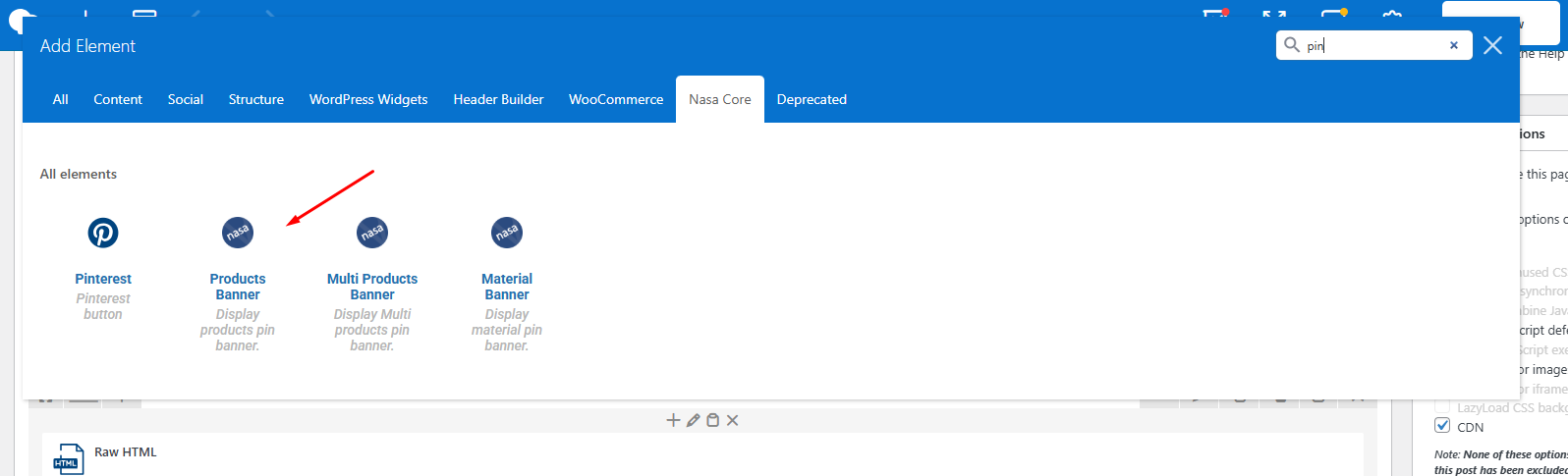
Similar to WPbakery

<figure><img src="/files/PkNnuideyhxGELx4j6ml" alt=""><figcaption></figcaption></figure>

<figure><img src="/files/6oiTzbwAxVv2g7D7F2OU" alt=""><figcaption></figcaption></figure>